
An overseas buyer approves a bright green matcha sample, yet the online listing shows a dull pouch and a cup that looks unrelated to the powder inside. Matcha product photography needs a repeatable capture brief: photograph the sale unit, control light and color, show scale honestly, then check each marketplace crop. The Mockup Asia matcha packaging article discusses lighting, grey cards, and reflective tins. This guide turns those observations into a shot list and acceptance checks for a B2B team. A photo can help a buyer judge presentation, but it cannot replace a physical sample or prove product quality by itself.
Contents
- 1. What should a matcha photography brief contain?
- 2. Which shots make a complete ecommerce set?
- 3. How can a team keep powder color believable?
- 4. How should tins and pouches be lit?
- 5. What makes a powder swatch useful?
- 6. How should prepared cups be photographed?
- 7. How can images communicate pack scale?
- 8. Which marketplace image rules need a separate version?
- 9. How should crops and files be checked?
- 10. What should a brand approve before publishing?
1. What should a matcha photography brief contain?
Tie each frame to a buying question
List every SKU, physical pack, label version, net weight, included accessory, and sales channel before booking a shoot. A 30 g tin and a 100 g refill pouch need distinct images even when their front labels share a design. Photograph the current commercial unit, not an early print proof with a different lid or nutrition panel. Put the lot and production sample identifier in the internal shot log so later revisions are traceable.
The brief should say what the customer must learn from each frame. A hero image identifies the exact item for sale; a rear-panel frame supports label reading; an open-pack view shows powder texture; a cup image explains intended use. Decide which visual claims need substantiation. A green swatch that has been pushed far beyond the physical sample may create returns even if it attracts clicks. Set a neutral reference and approve it against the actual sample under controlled light. Matcha Village offers several grades and pack formats in its company information, but the buyer should confirm the exact SKU and packaging before photographing it.
2. Which shots make a complete ecommerce set?
Cover identification, detail, and use
Build a shot list before styling props. A practical set includes clean front, angled front, back label, open pack, powder detail, scale reference, and a prepared cup. Add a group image only when multiple items are actually sold together or when the frame is clearly supplementary. Shoot one frame of the unretouched pack beside its carton if shipping presentation matters to wholesale buyers. Plan close-ups of closure, seal, and scoop only when those components belong to the actual sale unit.
Give every shot an output destination. A white-background main image may suit a marketplace, while a warm countertop frame may suit the brand site. Do not let the styling frame become the only product image. The Google Merchant Center image specification says the primary image must show the exact item sold and avoid promotional overlays. Keep alternate lifestyle and instructional views separate. A proposed acceptance checklist can require legible branding, intact package edges, correct variant, and no misleading extras in the primary frame.
| Shot | Buyer question | Main check |
|---|---|---|
| Front pack | What arrives? | Correct SKU and visible shape |
| Back panel | What does label say? | Readable current artwork |
| Open powder | What is inside? | Real sample and controlled color |
| Prepared cup | How might it be used? | Documented recipe and honest appearance |
3. How can a team keep powder color believable?
Capture a reference in the same light
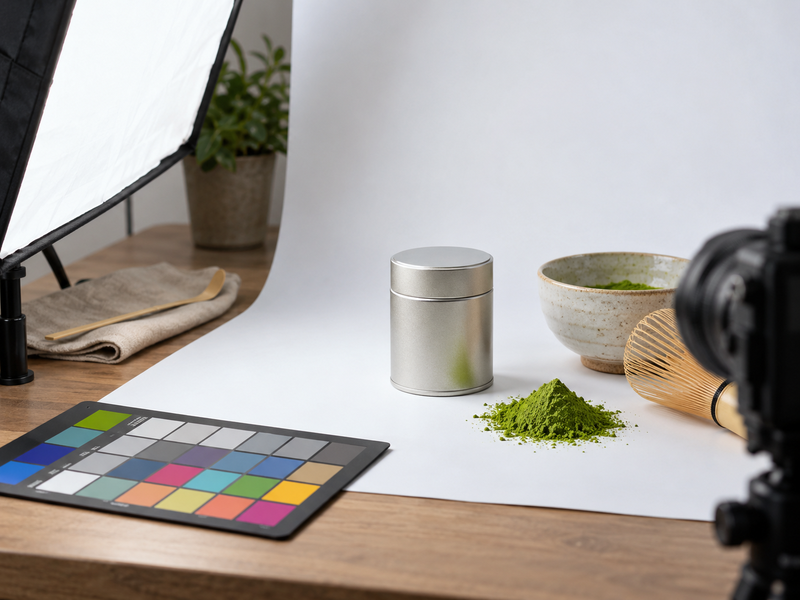
Matcha green changes on screen when lighting, white balance, exposure, and display differ. Turn off mixed ambient lamps and use one controlled light setup. Include a neutral gray card or color target at the start of each setup, then keep the reference file with the final exports. A card does not make every monitor identical; it gives the editor a repeatable starting point. Review the corrected image beside the physical sample under the same viewing light, preferably with two people who know the approved lot.
Record camera settings, light position, diffuser, target frame, editing profile, and final export color space. If a batch change produces a visibly different green, do not silently recolor every SKU to one idealized shade. Photograph the actual approved sale sample or label the image as a representative view where appropriate. The reference article recommends neutral controlled lighting and warns against mixed light; treat its suggested setup as a practical method, not a certified color standard. A proposed review can compare one untouched reference frame, one edited web frame, and the powder on a white surface before signing off.
4. How should tins and pouches be lit?
Control reflections without hiding pack shape
Metal tins mirror windows, people, and light sources. Move the pack and a broad diffuser until the label reads cleanly and the rim still shows its form. A narrow bright strip may describe a curved tin, while an uncontrolled hotspot can erase text. Take a separate lid and side shot if the closure is a selling feature. Resist the urge to paint over dents on a sample that represent actual production condition; choose a clean approved unit and record that selection.
Pouches need a different treatment. Fill them with the intended net weight or a permitted stand-in that matches real volume, then shape the base naturally. An inflated mock pouch can make the commercial fill look disappointing on arrival. Keep seal edges and zipper visible. The Mockup Asia reference points out how reflective tins and underfilled pouches affect appearance. Translate that into a setup record: light size, angle, pack fill, and label orientation. Photograph the pouch standing and flat if its form changes substantially. Compare the final frame with actual packed units from the production run.
| Surface | Common defect | Capture adjustment |
|---|---|---|
| Metal tin | Hotspot over label | Larger diffuse source and angle change |
| Matte pouch | Flat, dull texture | Side light with restrained fill |
| Gloss label | Text lost in glare | Rotate pack or light |
| Transparent window | Reflection masks powder | Control background and polarizing trial |
5. What makes a powder swatch useful?
Give the viewer a consistent surface and dose
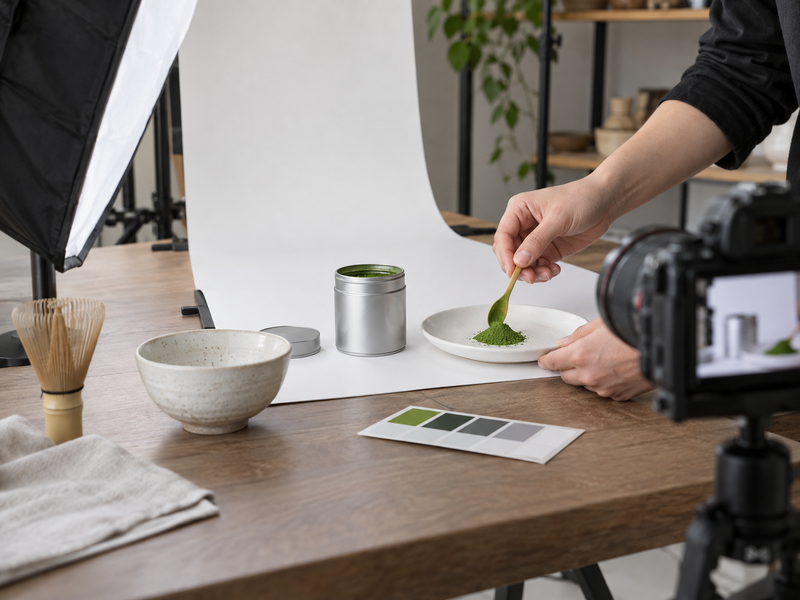
Use a measured quantity of powder on a neutral, food-appropriate surface. Keep spread thickness, camera distance, light, and background consistent when comparing grades. A dusting that is almost transparent will look different from a small mound of the same powder. If the brand sells several grades, put them in separate labeled internal reference frames before making any side-by-side public comparison. Powder samples should come from traceable approved lots, not an unknown tin in the studio.
Show texture without implying a laboratory measurement. A macro image can reveal clumps created by studio humidity or excessive handling rather than by normal product condition. Open a fresh sale unit for critical shots and record how long it sat exposed. Photograph a spooned portion or small pile as a supplementary image; the primary marketplace image still needs the exact sale pack. If editing removes every natural shadow, powder can look like digital paint. The best useful swatch lets a buyer see actual color and fineness in context, then invites a physical sample for procurement decisions.
6. How should prepared cups be photographed?
Use a recipe that the product can repeat
Choose the recipe before the camera crew arrives. Record powder dose, water volume and temperature, milk type if used, sweetener, mixing method, cup size, and delay between preparation and exposure. A vibrant bowl prepared with a different grade can misrepresent a latte mix sold on the same page. Make the cup with the listed SKU, then compare appearance after a normal service delay. If foam settles quickly, shoot promptly but do not composite a cup that no customer could reproduce.
Show water-only and milk-module uses separately when both are realistic applications. A powder intended for baking need not be portrayed as a straight ceremonial bowl. Photograph a spoon or whisk only as a prop when it is not included; avoid putting it in a primary product image where customers might assume otherwise. Use a controlled white balance for milk, since a warm café lamp can make both foam and powder look yellow. For a proposed beverage trial, produce three cups using the same recipe and compare the accepted frame with normal variation, rather than picking one unusually attractive result.
| Cup variable | Record for shoot | Why it matters |
|---|---|---|
| Powder dose | Grams per cup | Color and flavor intensity |
| Liquid | Type and volume | Dilution and tone |
| Mixing | Time and tool | Foam and clumps |
| Capture delay | Minutes after prep | Settling and separation |
7. How can images communicate pack scale?
Show dimensions without visual tricks
Customers often misjudge a 30 g tin because an isolated hero image has no familiar object nearby. Put net weight clearly in the listing text and add a supplementary image with the pack in a hand, beside a standard cup, or against a simple ruler. Keep proportions real. A wide-angle lens too close to a tin can make it look larger than the product that arrives. Use a normal perspective, record camera distance, and compare against a physical unit at typical screen size.
For wholesale buyers, include a case image with units per carton and an exterior dimension diagram where useful. These views help plan shelf space and fulfillment costs; they should match the actual case configuration. A side-by-side 30 g and 100 g comparison can answer the size question efficiently, but name each pack and avoid implying both ship together. Check the small thumbnail, where tiny weight text becomes unreadable. The image should complement precise specifications rather than carry all information alone. If a marketplace limits text overlays, use the product-detail page or permitted secondary image for dimensions.
8. Which marketplace image rules need a separate version?
Keep a channel-specific export list
Do not assume one lifestyle hero fits every sales surface. Amazon Seller Central’s main-image guidance calls for an accurate depiction of scale, quantity, and color, with a pure white background and the product filling much of the frame. Google Merchant Center prohibits promotional overlays in primary product images and requires the pictured item to be the item sold. Rules can differ by category and change, so review the live policy for each destination before upload.
Make a channel matrix with aspect ratio, pixel dimensions, background, crop allowance, accessory policy, and file format. Keep the original master separate from platform crops. A marketplace main image might show only the sealed pouch, while the brand page can show powder, cup, and serving context in additional frames. Never solve a policy problem by hiding a true ingredient label or altering the sale pack. If the SKU includes a scoop, confirm whether that accessory may appear in the channel’s main image and whether the listing states it clearly.
| Destination | Primary frame | Additional view |
|---|---|---|
| Brand store | Exact sale pack, brand-consistent | Powder and prepared use |
| Amazon listing | Check current category main-image rule | Scale and detail where allowed |
| Google feed | Exact item without promo overlay | Other views in additional links |
| Wholesale sheet | Pack plus specifications | Case and dimensions |
9. How should crops and files be checked?
Review the image at its actual display size
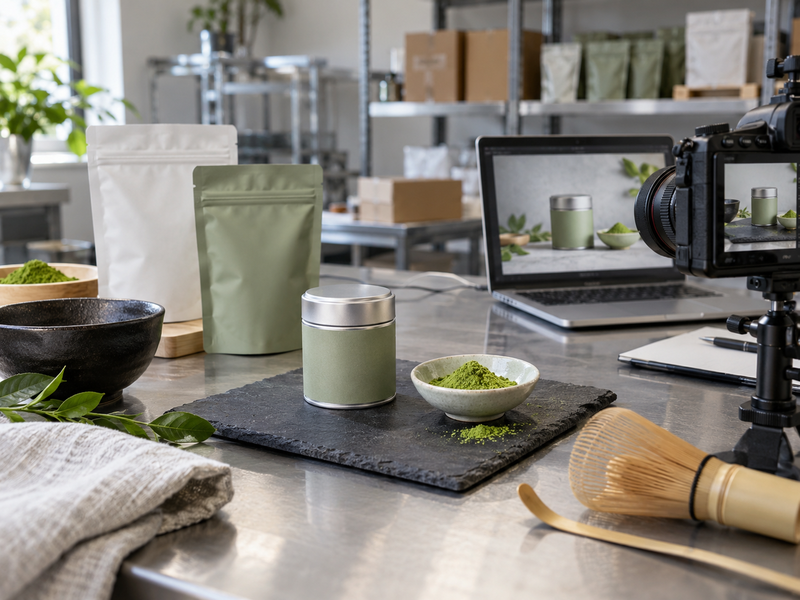
Export from a color-managed master, then inspect desktop, phone, search thumbnail, and marketplace square crops. The pouch’s top seal and bottom weight may be inside a wide master but disappear when a platform crops to a square. Leave adequate room around critical edges during capture. Check whether tiny brand text remains legible at normal display size; a high-resolution original does not guarantee a readable mobile thumbnail.
Name files with SKU, view, channel, and version rather than vague labels like “final2.” Keep edited master, approved export, release date, source lot, and the approver’s sign-off together. Compare filenames against the catalog so a ceremonial tin image does not land on a latte-powder page. A proposed QA sheet can record crop, color, label version, included props, metadata, and pixel dimensions for every destination. Open the actual live listing after upload; automatic platform processing may soften text, shift crop, or show an older cached image. A screenshot of the live view closes the loop better than the export folder alone.
10. What should a brand approve before publishing?
Sign off the physical truth and the screen version
Product, quality, marketing, and ecommerce owners should compare approved final images with the actual commercial sample. Confirm SKU, net weight, label version, closure, powder appearance, included items, and preparation recipe. Ask whether a reasonable buyer would understand what arrives. If the photograph shows a perfect foil seal but production uses another closure, reshoot or update the listing before publication. Keep a change trigger for new packaging, reformulation, or a visibly different product lot.
For B2B sourcing, request physical samples and pack drawings before setting a shoot date. Photographing a proposed package too early creates rework if dimensions or print details change. Matcha product photography is most useful when each frame answers a purchasing question and can be reproduced on the next SKU. Approve one channel at a time, retain the shot log, and watch return comments for recurring confusion about size, color, or included accessories.
| Approval gate | Evidence | Owner |
|---|---|---|
| Product match | Sale unit and sample lot | Product lead |
| Color and recipe | Reference frame and preparation card | Quality lead |
| Platform compliance | Live channel rules and crop | Ecommerce lead |
| Final listing | Published page screenshot | Brand lead |
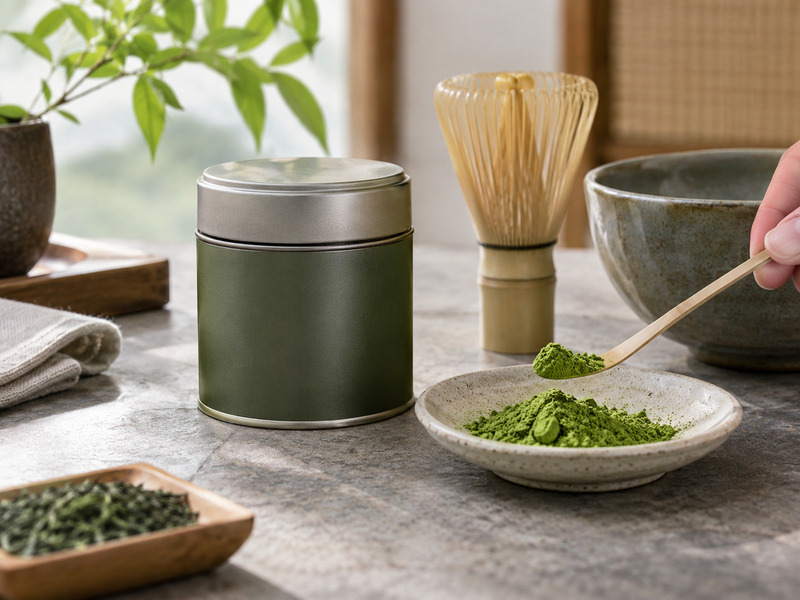
Check the finished images beside the planned shelf setting in the matcha retail display guide, not only on a studio screen.
FAQ
Q1. Can matcha product photography guarantee exact screen color? No. Devices and viewing light differ. A controlled reference and honest edit make the result more consistent.
Q2. Should powder appear in the main image? Follow the current channel’s rules and show the exact item sold. Put open-pack and powder views in approved additional slots when needed.
Q3. Is a mockup enough for a live listing? A mockup can test artwork, but verify whether the platform permits it and replace it with actual commercial-pack photography for an accurate sale representation.
Q4. How many prepared cups should be tested? For a proposed shoot trial, prepare several cups with one documented recipe so the chosen image reflects repeatable output.
Q5. When should images be updated? Review them after a pack, label, included-accessory, or material product appearance change.